Takes
A writing workspace built around speaking.
Say a thought out loud and Takes keeps it: the words, and the recording they came from. Gather the takes you want into a manuscript, arrange them, and come back tomorrow to where you left off.
Not available to download yet.
The first Mac preview is being prepared. It will run on macOS 13 Ventura or later, on a Mac with Apple silicon (M1 or later).
How it works
Speak
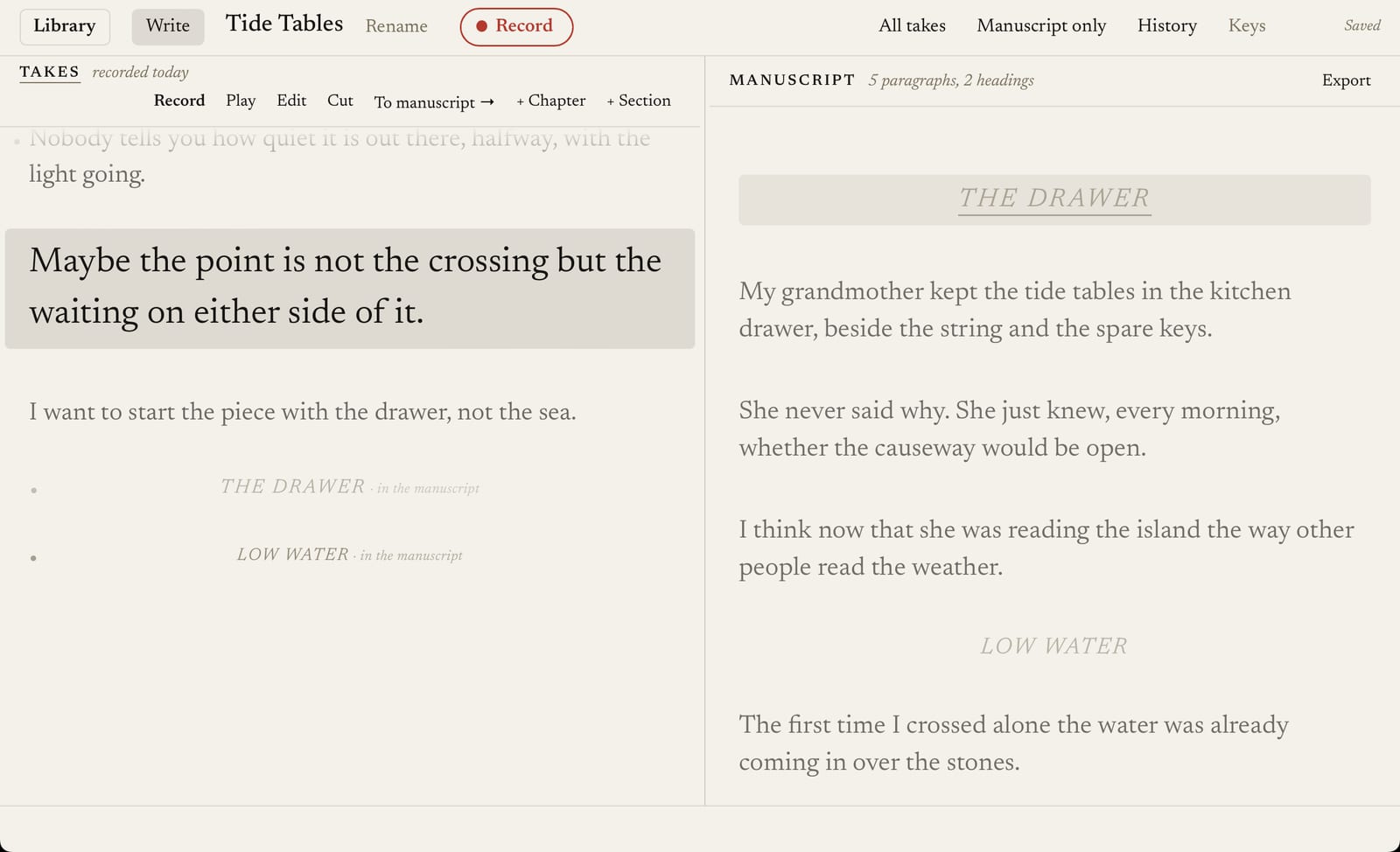
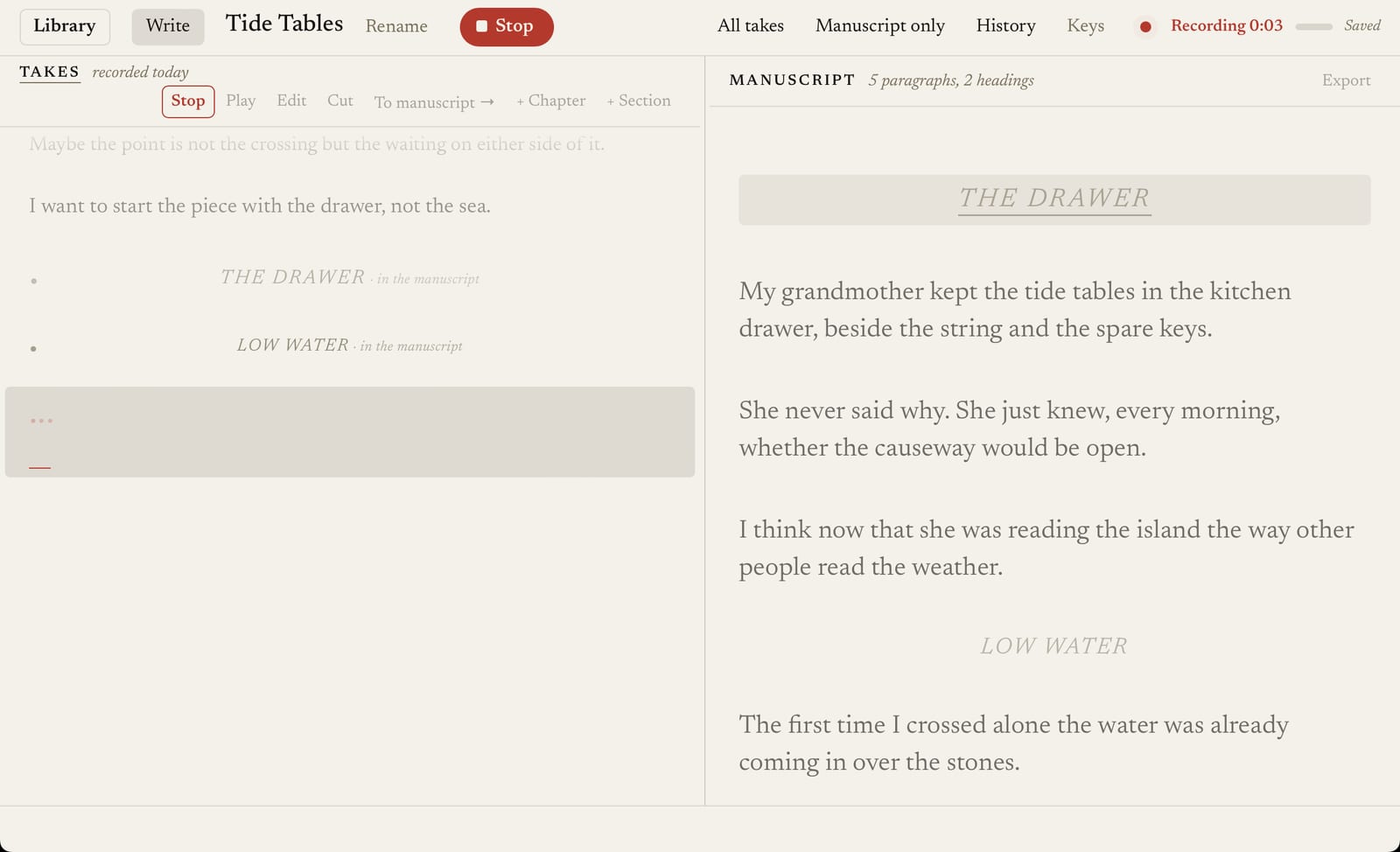
Choose Record, or press Space, and say the thought as it comes. Takes shows “Starting microphone…” until it is really recording, then a running clock and a level meter. The words appear a moment after each pause, and the recording is saved as you go, about once a second.
Keep your takes
Every take is kept: the words as they were recognised, each correction you type as a new version, and the original recording. When recognition gets a word wrong, play the take back and hear what you said. Nothing is thrown away for being quiet, short or unrecognised.
Arrange a manuscript
Send the takes you want into the manuscript beside them, put them in order, and add chapter and section headings. Change the wording in the manuscript without touching the take it came from. Export the manuscript as plain Markdown.
Return to your work
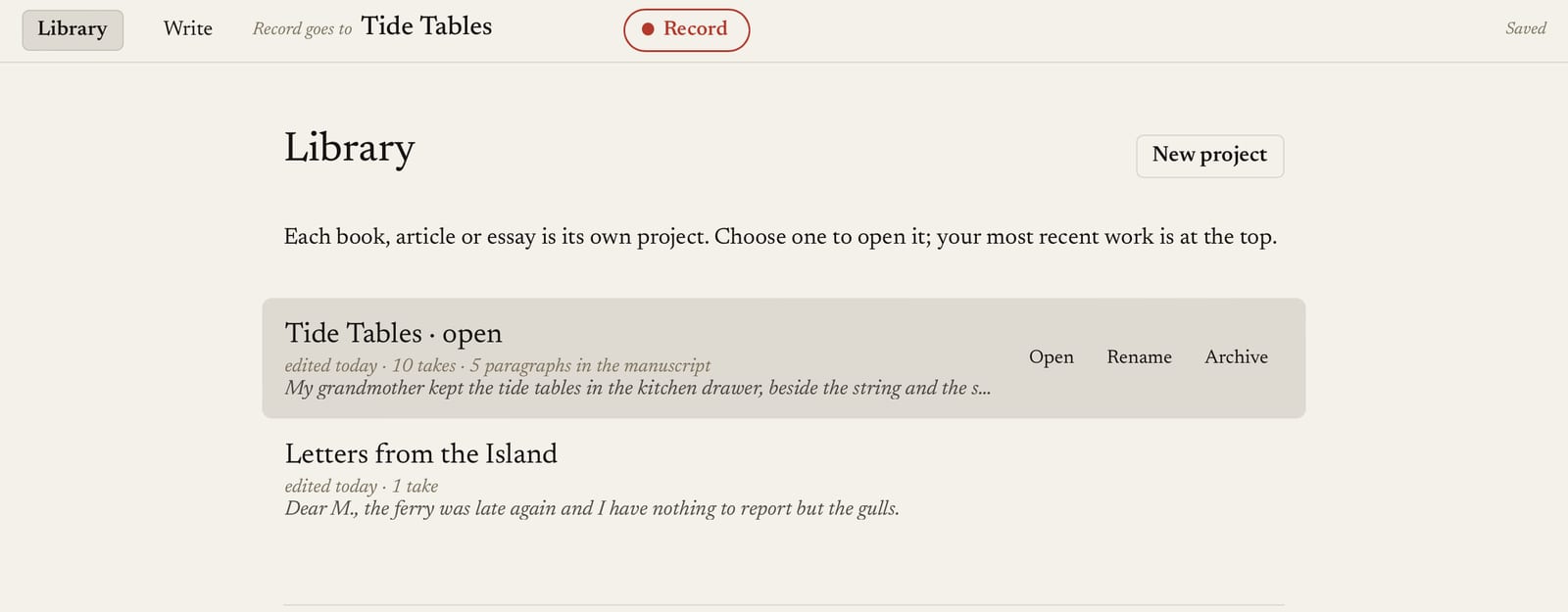
Takes opens where you left off: the last project, ready to write. Each book, essay or article is its own project in the Library, with a history of earlier versions you can go back to.
Private by design
Your recordings and your writing stay on your Mac. The speech recognition runs on your Mac too, so what you say is never sent anywhere to be transcribed. There is no account and no analytics in the app.
Takes connects to the internet only to check for and download updates, and it asks before checking automatically. What goes where, in detail.
What to expect
- Transcription is recognition, not a guarantee. Names, quiet speech and noisy rooms produce mistakes; that is why the recording is always kept.
- It is not hands-free. You speak to write, and use the keyboard and pointer to correct, arrange and export.
- English only, for now.
- Nothing said before recording has started can be captured. After Record, wait for the clock.
- Takes saves as it goes, but no software can promise zero loss: a sudden power cut can lose the last few seconds. Keep your own backups, such as Time Machine.
Supported systems
macOS 13 Ventura or later, on a Mac with Apple silicon (M1 or later). Intel Macs, Windows and Linux are not supported. About 600 MB of disk space for the app and its speech model, plus room for your recordings (about 4 MB per minute of speaking: the original recording, and the copy used for transcription).
See the release notes, get support, or write to ian@vaultscaler.com.